How to plan an efficient pool cleaning route
An efficient pool cleaning route starts with geography: a compact service area beats a high customer count every time. Layer in realistic time between stops instead of an optimistic guess, plus a system that stays accurate as customers get added, skipped or dropped through the week, and a route holds up under real conditions instead of just on paper. A lot of that can be managed by hand at a small scale. Past a certain point, it can’t, and knowing where that point is matters more than most new operators expect.
What makes a pool route efficient (and what doesn’t)
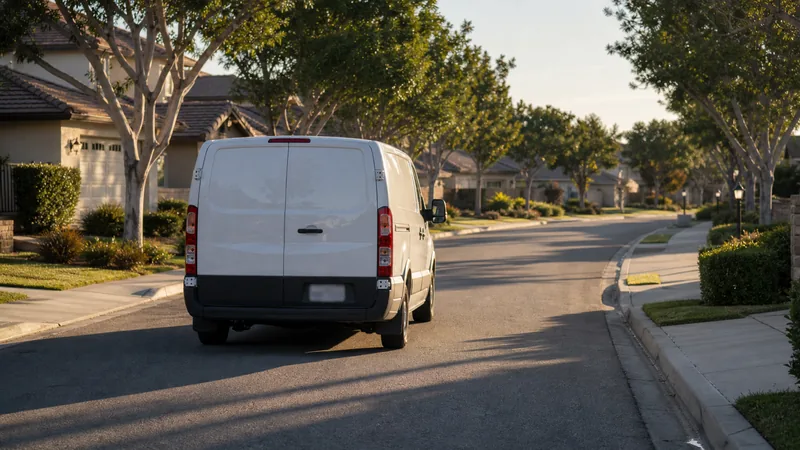
Efficiency isn’t the same thing as customer count. A route with thirty customers scattered across a wide service area can easily take longer to run, and cost more in fuel and drive time, than a route with twenty customers clustered tightly in a few neighborhoods. What actually determines efficiency is geography first, then realistic timing on top of it. How close the stops sit to each other and how much drive time falls between them matters more than the headline customer count, and whether the time budgeted per visit matches what actually happens on site rather than a best-case guess made from a desk changes the picture again.
There’s no single correct number of stops per day, and treating one as a target regardless of geography usually backfires. Ten to twenty stops a day is a common range for a single technician working a reasonably compact route, depending on drive time and how long each visit runs, but that range shifts a lot based on layout. A route with tight geography can comfortably support more stops in a day than a spread-out one with the exact same customer count and the exact same total service time. Two routes that look identical on a spreadsheet, same number of pools, similar service mix, can be very different businesses once actual drive time enters the picture.
Group stops by geography, not by day of the week you signed the customer
One of the most common planning mistakes, especially in the first several months, is building a route in the order customers signed up rather than by where they actually live. It’s an easy trap to fall into: a new customer calls, gets slotted into whatever day happens to have room on the calendar, and the route slowly turns into a chronological list instead of a geographic one. Six months in, a “Tuesday route” might zigzag across half the service area instead of covering one contiguous section of it.
The result of that drift is unnecessary backtracking across town, sometimes every single day, that adds up to real drive time over a week and a month. Grouping stops by location first, and fitting new customers into whichever day already covers their part of town rather than whichever day is emptiest, avoids the problem before it has a chance to compound.
Build in buffer time for the unexpected
Green pools that take twice as long as a normal visit, locked gates, a dog that wasn’t mentioned when the customer signed up, a homeowner who’s home and wants to talk through something, a no-access situation that means coming back later in the week. None of these are edge cases. They’re a normal, recurring part of running a route, and a schedule with zero slack turns every one of them into a late afternoon and an apologetic message to whoever’s waiting on the next few stops.
Building a small buffer into the day, rather than scheduling back-to-back visits with no room for anything to go sideways, keeps one difficult stop from cascading into a bad day for everyone scheduled after it. This matters more as a route grows. A single unplanned delay affects one or two stops on a short route; on a full day of twenty, it can push the last few appointments into the evening.
Manual planning works, until it doesn’t
A notebook or a spreadsheet handles a route of five to eight stops without much trouble. The wheels start coming off somewhere around fifteen to twenty stops, or the moment a second technician joins and the route needs to stay in sync across more than one person instead of living in one operator’s head. At that point, small inefficiencies that didn’t matter at a smaller scale, a slightly awkward stop order, a customer added without checking where they actually fall on the map, a schedule change that only got updated on one person’s copy, start compounding into real lost time every single day.
This isn’t a criticism of any particular tool or method. It’s just the natural point where a system built for five customers starts struggling under the weight of twenty-five, and it’s worth recognizing before it turns into missed stops or a technician who’s consistently running two hours behind by early afternoon.
What route optimization software actually changes

Route optimization software doesn’t do anything mysterious. It resequences stops based on the shortest realistic path instead of whatever order they happen to be listed in. It recalculates instantly when a customer gets added, skipped or dropped mid-week. And it gives everyone on a team the same current route instead of a plan that only lives in one person’s memory, a paper map on a truck seat, or a spreadsheet that’s a version behind.
For a solo operator, that mainly means less time spent staring at a map trying to reorder a dozen stops by hand every time something changes. For a team, it means route changes stay in sync across everyone without a phone call or a group text every time a customer is added or a technician calls in sick. It’s less about replacing judgment and more about removing the manual recalculation that eats time every time the route shifts, which happens more often than most new operators expect. See route optimization built into every plan for how that works alongside recurring routes that generate the weekly schedule automatically instead of requiring it to be rebuilt from scratch.
A simple way to audit your current route this week
Before reaching for any tool, it’s worth checking a current route against a few honest questions, on paper or out loud, without needing any software to do it:
- Are today’s stops actually grouped by location, or scattered based on whenever each customer happened to sign up?
- How much of the day is drive time versus actual service time, roughly speaking?
- Is there any buffer built in for a green pool or a locked gate, or is the schedule back-to-back with no room for anything to go wrong?
- Would adding or dropping a customer mid-week mean rebuilding the whole day’s plan, or just a quick, contained adjustment?
Answering these honestly usually points to whether the real bottleneck is geography, timing, or simply the system being used to track it all, before spending money or time trying to fix a problem that turns out to be somewhere else entirely.
Route optimization is built into every PoolTechDesk plan, not gated behind a higher tier. See every PoolTechDesk plan to see how it fits your team.